The funny effects, one by one
Every effect is applied to the live webcam picture, so you can see the joke before the countdown runs out:
- Big Head bulges the middle of the frame like a fisheye lens. Lean in and your head doubles in size.
- Meme puts your text on top in white meme lettering and a random punchline at the bottom — a new one for every shot, or your own if you type it in.
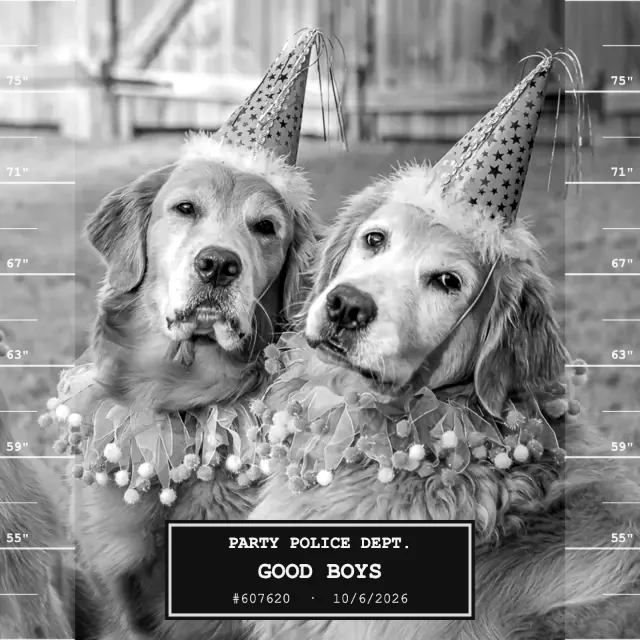
- Mugshot turns the picture black and white, adds a height chart on both sides and a “Party Police” placard with your text and a booking number.
- Wanted makes an old-west poster with your text as the name and a ridiculous reward.
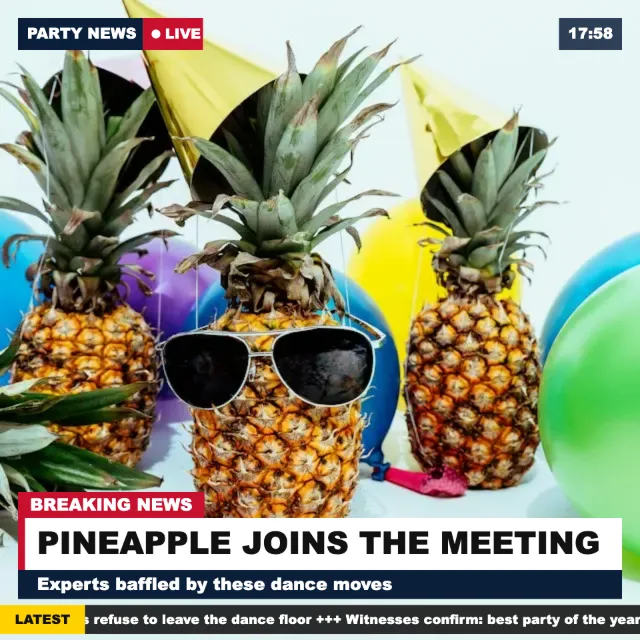
- Breaking News adds a news-channel banner with your text as the headline, a ticker and the current time.
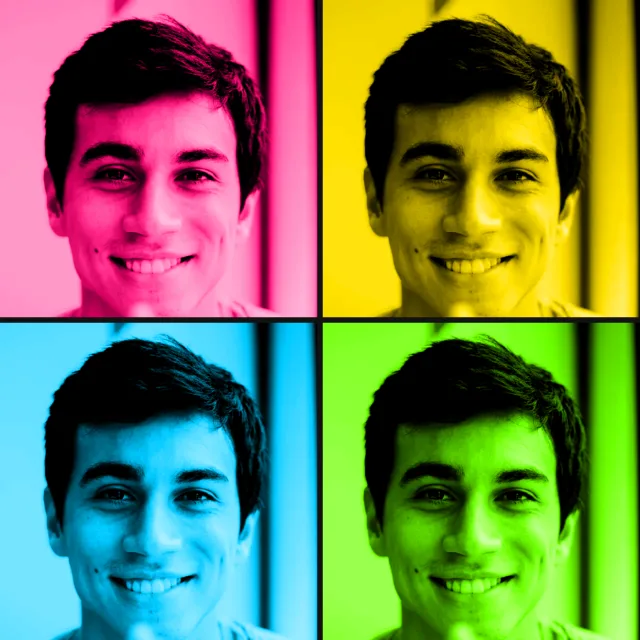
- Pop Art splits the shot into four loud colour tiles.
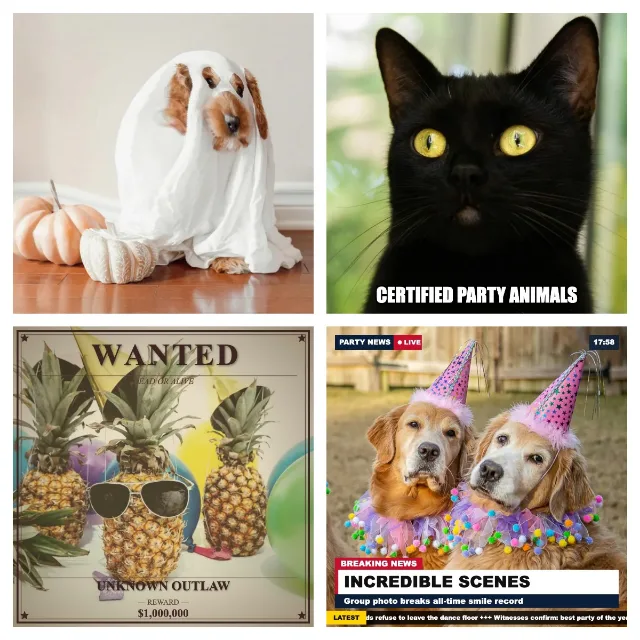
- Random mix gives each of the four shots a different effect, with at most one face distortion per strip.
- Challenge shows a random pose task with a 10-second countdown before each shot.
Halloween and Christmas effects are there too, and join the random mix in their season.
Set up your laptop webcam
Laptop cameras sit low and look up your nose. Three small changes make the effects work much better:
- Raise the laptop so the camera is at eye level. Books or a shoebox are fine.
- Light your face from the front. Sit facing a window or put a lamp behind the screen. Big Head and Pop Art exaggerate shadows.
- Sit about an arm's length away. The face-distortion effects expect a face near the centre of the frame, and Meme needs room for the text at the top and bottom.
Close video-call apps before you start: on many computers only one program can use the webcam at a time.
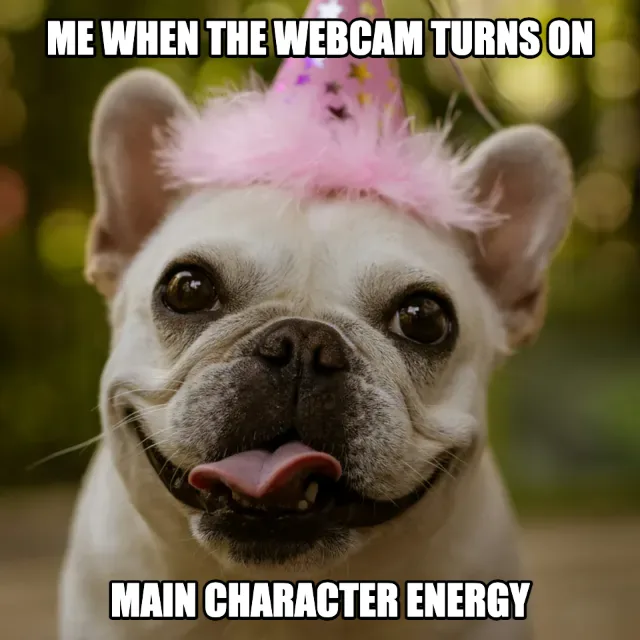
Meme · single shot
Try this look
Which browsers and devices work
| Device | Browser | What happens |
|---|---|---|
| Windows, Mac, Chromebook | Chrome, Edge, Firefox, Safari (Mac) | Live webcam preview with the effect, countdown, four shots |
| Android phone or tablet | Chrome and other current browsers | Live front-camera preview, same as on a laptop |
| iPhone, iPad | Safari, Chrome | Live preview and countdown; the camera app opens per shot only if the live camera fails |
| Instagram, TikTok or other in-app browsers | — | Often blocks the camera; open the link in Chrome or Safari |
An external USB webcam works as well. If your computer has more than one camera, pick the right one in the browser's site settings (the camera icon in the address bar).
If the camera does not start
- Blocked by the browser: click the lock or camera icon in the address bar, allow the camera, then press “Try again” in the booth.
- Blocked by the system: on a Mac, allow your browser under System Settings → Privacy & Security → Camera. On Windows, check Settings → Privacy & security → Camera.
- Camera busy: quit Zoom, Teams or any other app that is using it.
- Still nothing: tap “Use photos from your gallery” on the start screen and pick up to four photos instead — the booth puts the effects on them and builds the collage the same way.
How this differs from webcam effect sites
Sites such as Webcam Toy are built around single snapshots with a large catalogue of filters. Photobooth Free is built around a photo booth session:
- Four countdown shots in a row — each kept automatically after about two seconds unless you tap Retake — arranged into a photo strip, a 2×2 square or a postcard, with an optional decorate step for stickers, text and a coloured or patterned frame.
- Effects with your own text — the headline, the name on the poster, the meme line.
- Nothing leaves your device. The webcam picture and the finished JPEG are processed in the browser only.
- Party features: an event mode for a laptop or tablet on a stand, optional on-device gallery with a ZIP download at the end, and offline use once the page has loaded.
If you just want one silly picture, any of them will do. If you want a strip to send to friends or a booth for a party, that is what this one is for.
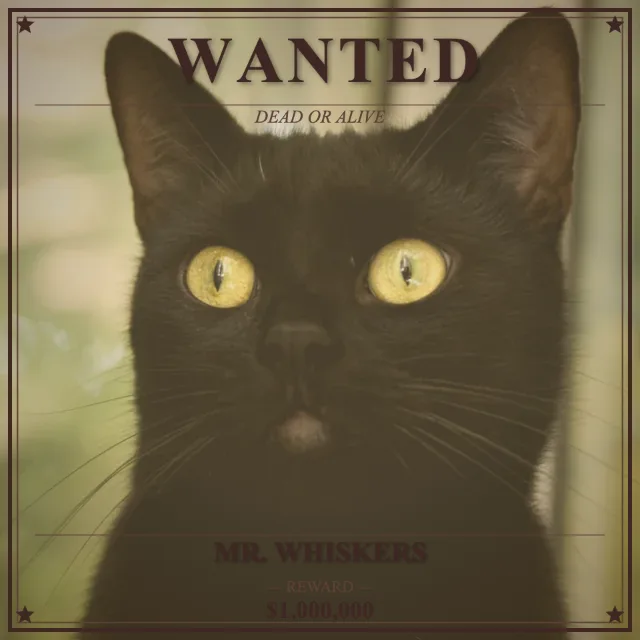
Wanted · single shot
Try this look