What the Halloween effect adds to each photo
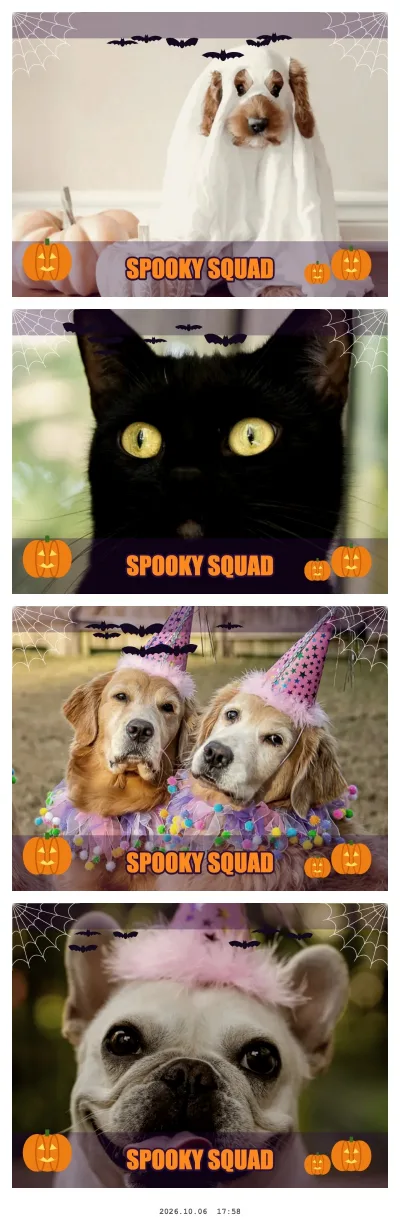
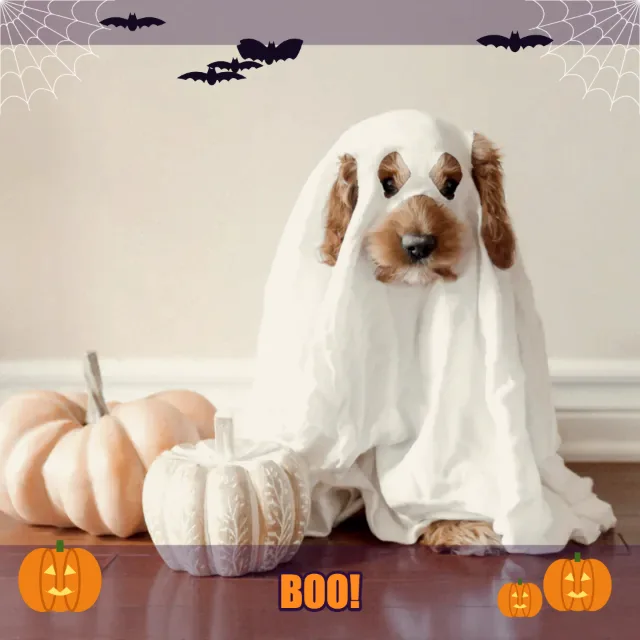
The effect is drawn onto every frame in the browser, so what you see in the live preview is what ends up in the strip:
- Night-purple bands across the top and bottom of the frame
- Cobwebs in both top corners and six bats over the upper third
- Three carved jack-o’-lanterns glowing along the bottom edge
- Your text in bold orange capitals with a dark outline. Leave the field empty and it reads "Happy Halloween"; a short line of up to about 20 characters stays largest.
The middle of the frame stays clear, so faces, masks and face paint remain visible. The Halloween effect is in the effect list all year. In October (until 2 November) it also joins Random mix, which gives each of the four shots a different effect.
Halloween effect · single shot
Try this look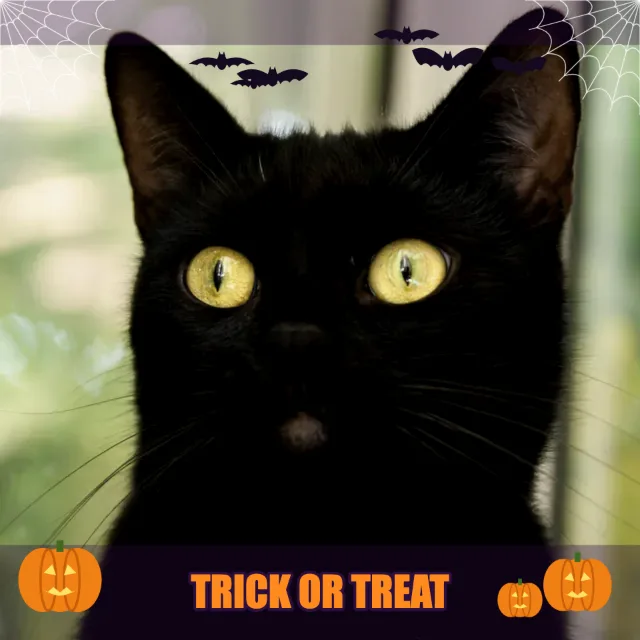
Halloween effect · single shot
Try this look
Set up the booth for a Halloween party
- Open the booth link above on the device that will stand at the party — a laptop, a tablet or an Android phone — and allow the camera.
- Replace the text with your party name, for example "Monster Mash 2026" or "Haunted House".
- Pick a layout: Column for a classic strip, Square (2×2) for group chats, Postcard if you want to print.
- Set the countdown to 5 or 10 seconds. Masks, capes and props take longer to get into position than a smile.
- Switch on event mode: a big start button, locked settings, the screen stays on and the booth resets itself after every collage.
- Switch on "Keep every collage on this device" to download all strips as one ZIP after the party.
iPhone and iPad show the same live preview with countdown in Safari, so an old iPad on a stand works as well as a laptop or an Android tablet. Once the page has loaded, the booth also works without Wi-Fi.
Costume photo ideas for four frames
A strip works best when the four frames tell a tiny story. Agree on the sequence before the countdown starts:
| Frame | Monster reveal | Haunted house | Villain line-up |
|---|---|---|---|
| 1 | Mask on, perfectly still | Everyone stares off-camera in fear | Arms crossed, serious |
| 2 | Mask halfway off | Collective scream | Evil laugh |
| 3 | Big reveal, hands up | Hide behind the tallest person | Point at the camera |
| 4 | Everyone laughing | Ghost (or dog) "walks in" | Bow to the audience |
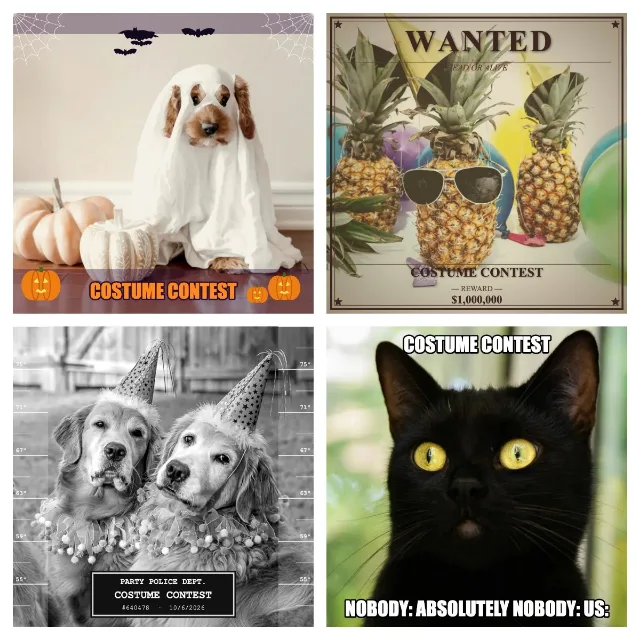
For a costume contest, run Random mix in October: every shot draws a different look — Halloween, Wanted poster, Mugshot, Meme and more — so each group gets a strip of "evidence". The Wanted poster prints your text as the name of the villain; Mugshot puts it on a "Party Police" placard.
Random mix in October · 2×2 square
Try this look
Light a dark party without losing the mood
Halloween parties are dim on purpose, which is hard on any camera. Keep the mood in the room and light only the faces in the booth corner:
- Put one soft light behind the device, slightly above face height: an LED panel, a ring light or a lamp with a white shade.
- Keep candles, orange string lights and fog in the background, not on faces.
- Avoid green or purple party light pointing at the booth — it turns face paint muddy.
- A matte dark backdrop (black fabric, a dark wall) matches the effect's purple bands and hides clutter.
- Do a test round with the darkest costume of the night before guests arrive.
Print Halloween strips
The Print button opens the print dialog at the right page size: 2×6 in for the Column strip, about A6 (148×115 mm) for the Postcard and 5×5.5 in for the Square. Home printers rarely take 2×6 paper, so for a Column strip the Print menu also offers 2 strips on 4×6 in: two copies side by side on one standard photo sheet, with cut marks for the middle. Save 4×6 sheet (JPEG) gives you the same sheet for a photo kiosk — more on sizes in the photo strip maker.
For a darker border without an editor, pick the black or starry-night frame in the booth's optional decorate step after the fourth photo. Prefer a printed frame? The free Halloween strip template is a transparent PNG (2×6 and 4×6 in, 300 dpi) whose four windows match the booth's single photos in the Column layout.
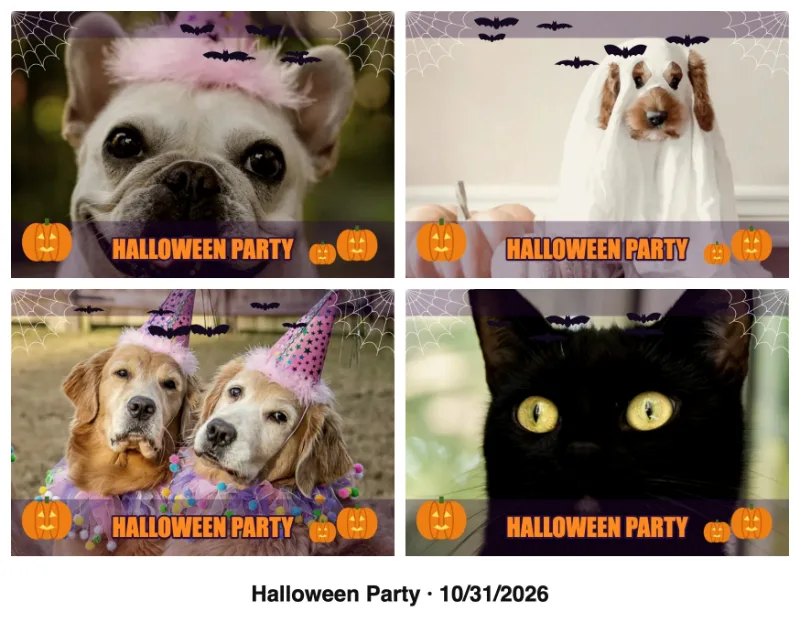
Halloween effect · Postcard with caption
Try this look
Kids’ Halloween parties and privacy
Capture, effect and collage all run in the browser on your device; nothing is uploaded to a server. That keeps a kids' party simple: you decide which strips are saved, parents can take their child's strip home on their own phone, and you clear the on-device gallery when you are done. Ask parents before you share photos of other people's children in a group chat. More on this in the photo booth privacy checklist.