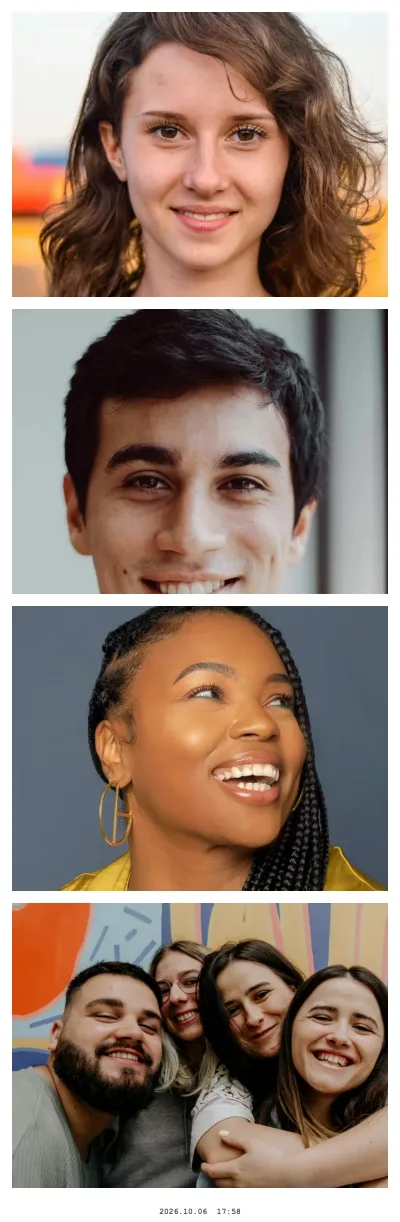
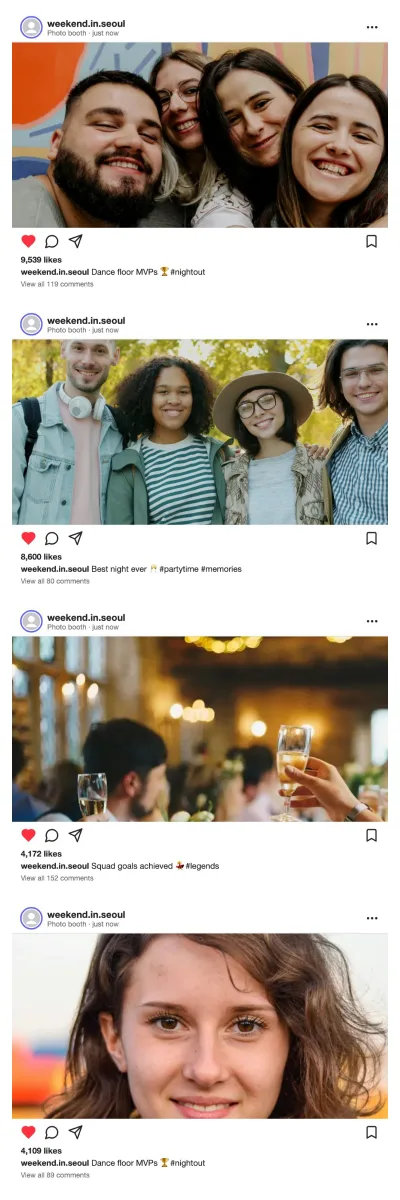
What a 4-cut strip is
Self-photo studios in Seoul made the four-cut (네컷) strip a weekend ritual: step into a booth with friends, pose four times, and leave with a narrow print you keep in a phone case or pin to a mirror. The format is simple, and that is why it works online too:
- Four frames stacked vertically, each slightly wider than tall
- A white or pastel border around and between the photos, often with a few stickers
- A small date line at the bottom, like the timestamp on a studio print
- A 2×6 inch (5×15 cm) print size — two strips fit on one standard 4×6 photo
In Photobooth Free this is the Column layout. The photo strip maker page covers every layout in detail; this page is about getting the studio look.
How to make one in the browser
- Open the booth with the button above. It starts in the Column layout with a 5-second countdown, which gives you time to change pose between shots.
- Allow the camera. The browser asks once, on a laptop as well as on a phone, iPhone and iPad included.
- Pick a look. Studio strips are usually clean, so start with No effect, Instant photo, Vintage Film or Social post.
- Switch on Date & time stamp on the strip in the settings for the classic bottom line.
- Take the four photos. With a live camera each shot is kept after about two seconds; tap Retake if someone blinked.
- Decorate, or skip: pick a frame colour or pattern, add stickers or a short text.
- Download the strip, save it to your phone's photos, or press Print: the print dialog opens at 2×6 inches.
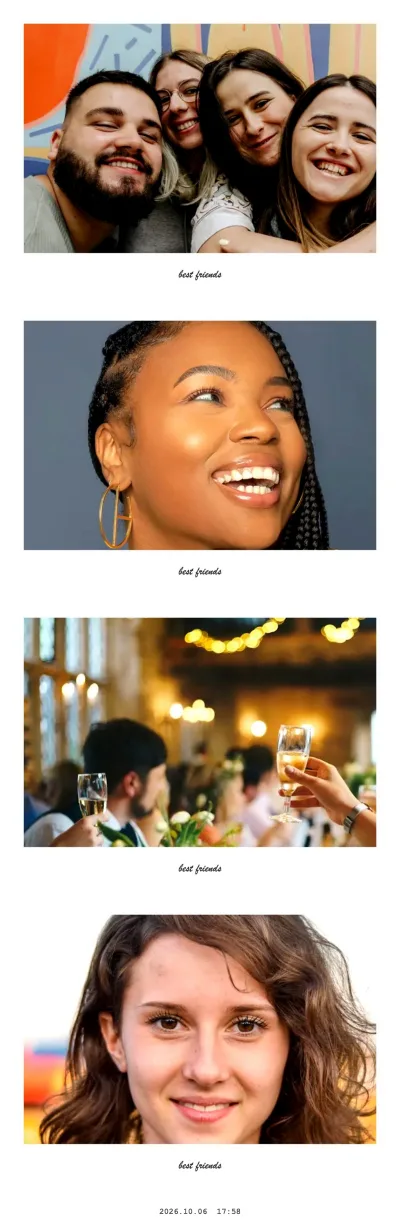
Instant photo · Column strip
Try this look
Studio-style light at home
Korean studios light faces from the front with large, soft panels. That flat, bright light is what makes the skin look smooth without any filter. You can get close at home:
- Face a window during the day, with the laptop or phone between you and the glass.
- At night, put a lamp behind the screen, pointing at you, and bounce it off a white wall if it is harsh.
- Switch off the ceiling light if it is the only light; it casts shadows under the eyes.
- Raise the camera to eye level or slightly above. A stack of books under the laptop is enough.
- Use a plain wall as the background. Light colours read best in a small frame.
Pose sequences for four cuts
Decide the four poses before you press start — the countdown is short and indecision shows. Four sequences that work in a narrow strip:
| Cut | Cute | Cool | Couple | Friends |
|---|---|---|---|---|
| 1 | Finger hearts at chin height | Sunglasses down, straight face | Foreheads together | Everyone looks into the lens |
| 2 | Cheeks puffed, hands framing the face | Look away from the camera | One kisses the other's cheek | Peace signs, heads tilted the same way |
| 3 | Big heart made with both arms | Hand on chin, half smile | Hands forming a heart between you | Point at the person on the left |
| 4 | Laughing, eyes closed | Break character, laugh | Candid laugh | Group squeeze |
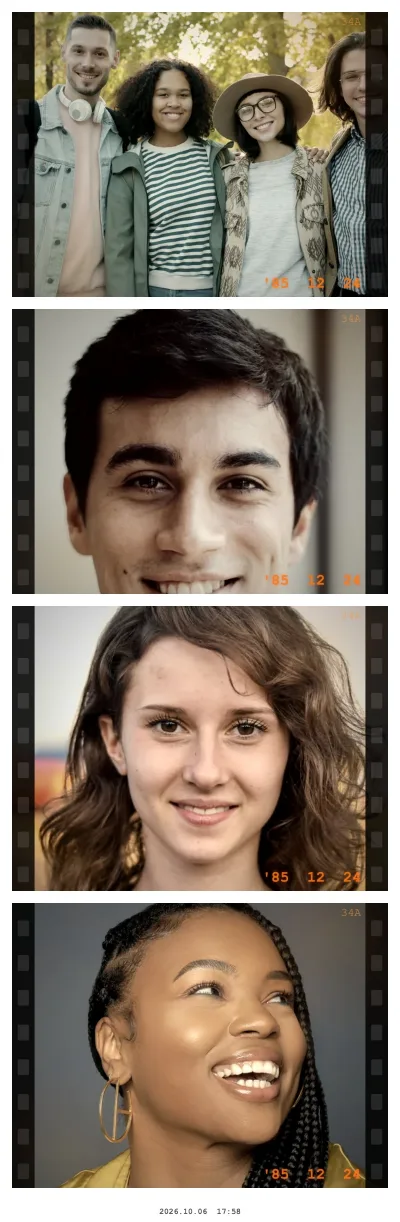
Vintage Film · Column strip
Try this look
Which look to choose
| Look | What it does | Good for |
|---|---|---|
| No effect | Clean photos, white strip border | The classic studio strip |
| Instant photo | White frame per shot with your text in handwriting | Couples, birthdays, scrapbooks |
| Vintage Film | Warm faded tones, film edges, light leaks | Film-camera mood, retro outfits |
| Social post | Each shot as a post with your text as the handle | Strips you will share in a Story |
Frames and stickers. After the fourth cut, the optional decorate step swaps the white border for pastel pink, sky blue, mint, lavender or cream, or a pattern such as polka dots, hearts, checkerboard or a starry night. Add the booth's own stickers (hearts, faces, party, words), a line of text, or your own PNG with a transparent background — it stays on your device.
Printing and keeping your strip
The Print menu opens the print dialog at exactly 2×6 inches, or — for the usual 4×6 inch (10×15 cm) photo paper — prints 2 strips on 4×6 in side by side with cut marks. Cut down the middle: one for you, one for your friend. Save 4×6 sheet (JPEG) gives you the same sheet as a file for a photo kiosk or printer app. Matte paper looks closest to a studio print and does not show fingerprints in a phone case.
For a printed frame around your photos, the free photo strip templates have transparent windows sized for the booth's single photos.