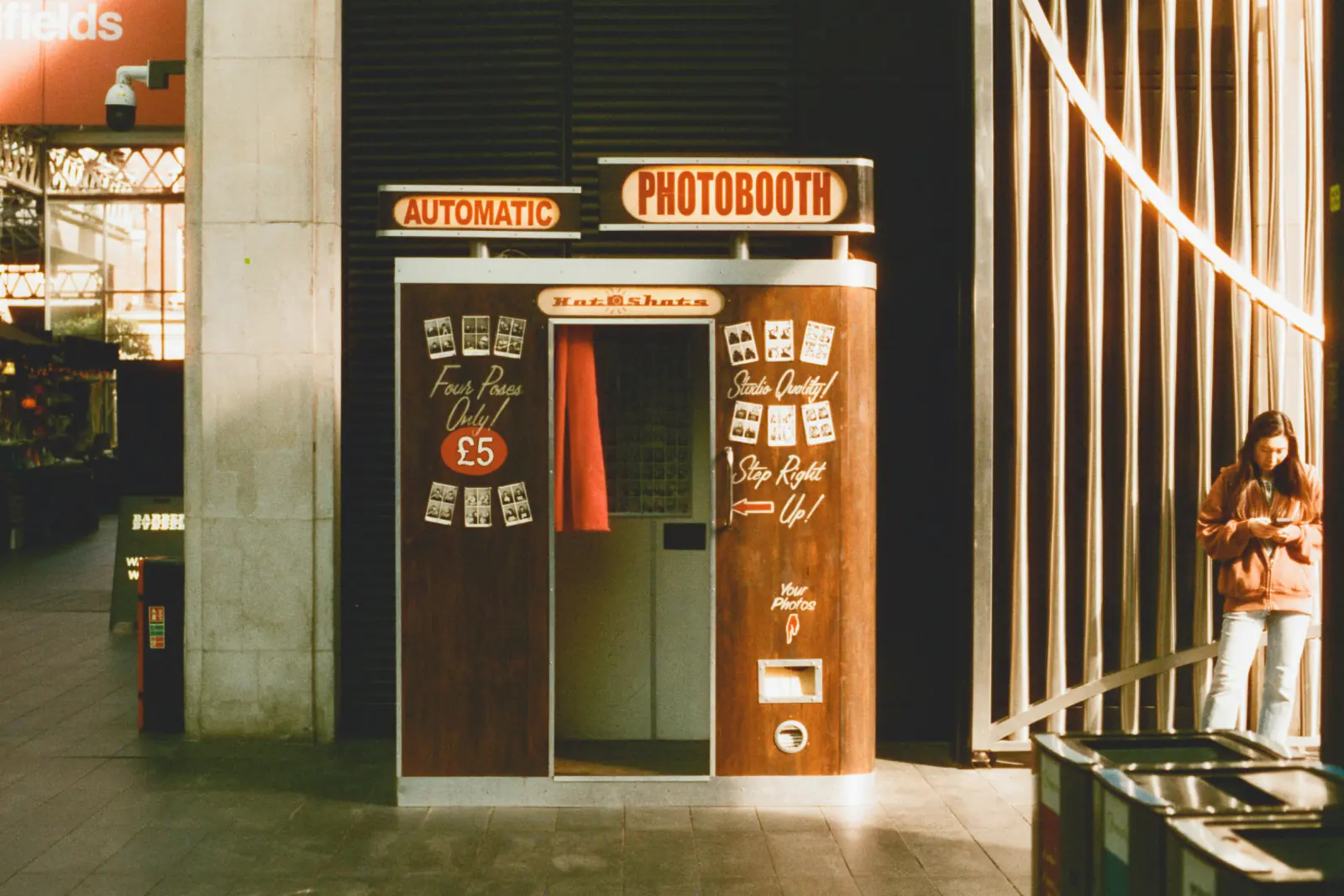
A rental photo booth and a browser-based photo booth solve the same problem with very different budgets. One arrives in a van with a printer and a person to run it. The other is a web page you open on a tablet you already own. Neither is universally better. This comparison lists what each costs, how much work it creates, and what guests take home.
What you are actually paying for with a rental
A typical rental quote bundles five things:
- Hardware: a DSLR or mirrorless camera, a studio flash or LED panel, a touchscreen, and a dye-sublimation printer in a branded enclosure.
- An attendant who sets up, keeps the queue moving, swaps paper rolls, and packs up at 1 a.m.
- Unlimited or capped prints, usually 2×6 in strips or 4×6 in postcards.
- Delivery, setup and teardown, often priced by distance.
- Extras: custom print templates, a backdrop, a prop box, a guestbook station, a digital gallery afterwards.
Prices vary by region and season, but hosts in the US and Europe usually see quotes in these ranges:
| Item | Typical range (rental) |
|---|---|
| Base package, 2–3 hours | $400–$800 / €350–€700 |
| Each additional hour | $100–$200 / €80–€150 |
| Attendant (if not included) | $50–$100 per hour |
| Delivery beyond a local radius | $50–$200 / €0.50–€1 per km |
| Custom print template | $0–$150 |
| Backdrop and props | $50–$250 |
| Digital gallery or USB with all files | $0–$100 |
| Realistic total for a 4-hour evening | $700–$1,500 / €600–€1,300 |
Unattended "drop-off" booths sit at the lower end, often $300–$500. Mirror booths and 360-degree video platforms sit well above the upper end.
What a browser photo booth costs
A browser booth such as Photobooth Free, the free online photo booth, runs in the browser of a laptop, desktop, tablet, or phone with a camera, iPhone and iPad included. There is no signup, no app install, and no software fee. The real cost is whatever hardware you do not already have:
| Item | Typical range (DIY browser booth) |
|---|---|
| Software | $0 |
| Tablet or laptop | $0 (existing device) |
| Tablet tripod or floor stand | $20–$50 |
| Ring light or small LED panel | $20–$60 |
| Backdrop (sequin curtain, paper roll, balloon wall) | $15–$80 |
| Props | $0–$40 |
| Optional: portable photo printer + paper for 100 prints | $100–$180 |
| Realistic total | $0–$150 without prints, $150–$350 with printing |
Most of that hardware survives the party and works at the next one. The rental fee does not.
Effort: who does the work
Cost is only half the comparison. The other half is your time before, during and after the event.
Rental
- Before: one or two emails, a contract, a deposit, and approving a print template. Roughly 1–2 hours in total.
- During: almost nothing. The attendant handles jams, shy guests and the closing time.
- After: wait for the digital gallery link, usually within a week.
Browser booth
- Before: buy or borrow a stand and a light, test the camera position, choose one of the 15 effects (Breaking News, Wanted poster, Instant photo, Party, Magazine cover, Social-post frame, Vintage film, Challenge mode) and one of the 3 collage layouts (Square, Column, Postcard), type the caption, and download one test JPEG. Plan 1–2 hours plus a 20-minute check at the venue.
- During: someone glances at the station every 30–45 minutes: device charged, page open, last group downloaded their collage? Assign this to a friend. Our photo booth tips guide has a checklist.
- After: nothing to wait for; each group saved its own JPEG on the spot. For one shared album, a QR-based guest gallery like Guest Pictures is a separate tool.
The honest summary: a rental costs money and saves roughly 2–4 hours of attention. A browser booth costs almost nothing and asks for those hours from you or a helper.
Results: what guests take home
| Result | Rental booth | Browser booth |
|---|---|---|
| Photo quality | DSLR + flash: sharp, evenly lit, consistent | Tablet or laptop camera: good in daylight or with a front light, weaker in dim rooms |
| Prints on site | Yes, usually within 10–15 seconds | Only if you add your own portable printer |
| Digital copy | Gallery or USB after the event | Immediate JPEG download per session |
| Effects and templates | Custom-designed template, sometimes GIF or boomerang | 15 built-in effects incl. a random mix, custom text, 3 layouts |
| Session format | Typically 3–4 photos per strip | 4 photos with a 3-second countdown each |
| Branding | Fully custom | Custom text on the frame |
| Data handling | Depends on the provider (cloud gallery, marketing use) | Processed locally in the browser, never uploaded |
Photo quality is the most honest difference. A studio flash beats a tablet camera in a dark ballroom every time. In a bright venue or with a $30 ring light in front of the guests, the gap narrows considerably; our DIY photo booth guide covers lighting setups that close it further.
When renting is the better choice
Some events are the wrong fit for a browser booth, and it is worth saying so plainly:
- You want prints in guests' hands during the party. Instant prints are the core product of a rental booth. Adding a consumer printer to a DIY station works, but it becomes a bottleneck at 60+ guests.
- Guest count above roughly 300. A single tablet station queues badly. Rentals bring faster capture, an attendant who manages the line, and often a second unit.
- Corporate events with brand compliance. Custom templates, logo placement, and a data processing agreement are easier to obtain from a professional provider.
- Nobody can babysit the device. If no one wants to check a tablet, pay for the attendant.
- Dark venues with no control over lighting. A rental's flash solves what a ring light only partially fixes.
- Weddings where the booth is the main entertainment. Five hours of run time, a guestbook station and a print for every guest point to a rental. Our wedding photo booth guide explains how to brief a provider.
When the browser booth wins
- Birthdays, anniversaries, house parties and team events with 20–150 guests.
- Any event where the total budget is under $500 and a booth would otherwise not happen at all.
- Venues where a van, a 2-metre enclosure or a printer is impractical: rooftops, boats, back gardens.
- Hosts who care where photos end up. A booth that processes images locally and never uploads them sidesteps the cloud-gallery questions a rental contract raises.
- Recurring events such as a club night series or a weekly market. Renting five times costs more than a permanent tablet station.
A decision shortcut
Answer three questions:
- Do guests need prints on site? Yes → rent (or budget for a printer and a helper).
- More than 300 guests, or no one available to check a tablet? Yes → rent.
- Is the budget under $500 or the venue awkward? Yes → browser booth.
If you answered no to the first two and yes to the third, the free option is not a compromise. It is the right fit. And you can combine both: rent for the two peak hours after dinner and keep a tablet booth running the rest of the evening. Since the browser booth costs nothing to test, run a full session with your actual device in your actual venue before signing a rental contract.
FAQ
How much does a photo booth rental cost per hour?
Most providers price a base package of 2–3 hours at $400–$800 (€350–€700) and add $100–$200 per extra hour. Attendant, delivery and custom prints may be itemized, so compare the total for your actual event length, not the headline hourly rate.
Is a free online photo booth good enough for a wedding?
For a reception of up to about 150 guests with reasonable lighting, yes, provided someone checks the station periodically. If instant prints, a five-hour run time, or a guestbook are must-haves, rent a booth or combine both.
Can I print photos from a browser photo booth?
Yes. The Postcard layout (A6 landscape) is designed for printing. Download the JPEG and print it on a portable photo printer at the party, or order prints afterwards. Instant printing at the station requires your own printer and adds queue time.
What is the cheapest way to have a photo booth at a party?
An existing tablet or laptop, a free browser booth, a $25 stand and a $30 ring light. Total under $60, reusable, and set up in half an hour.
Steffen Knödler
Our editorial team checks every guide against the current workflow and feature set of the free browser photo booth.
About the product and editorial processTry These Tips Yourself!
Ready to create amazing photos with all the effects mentioned in this article? Try our free photo booth now!