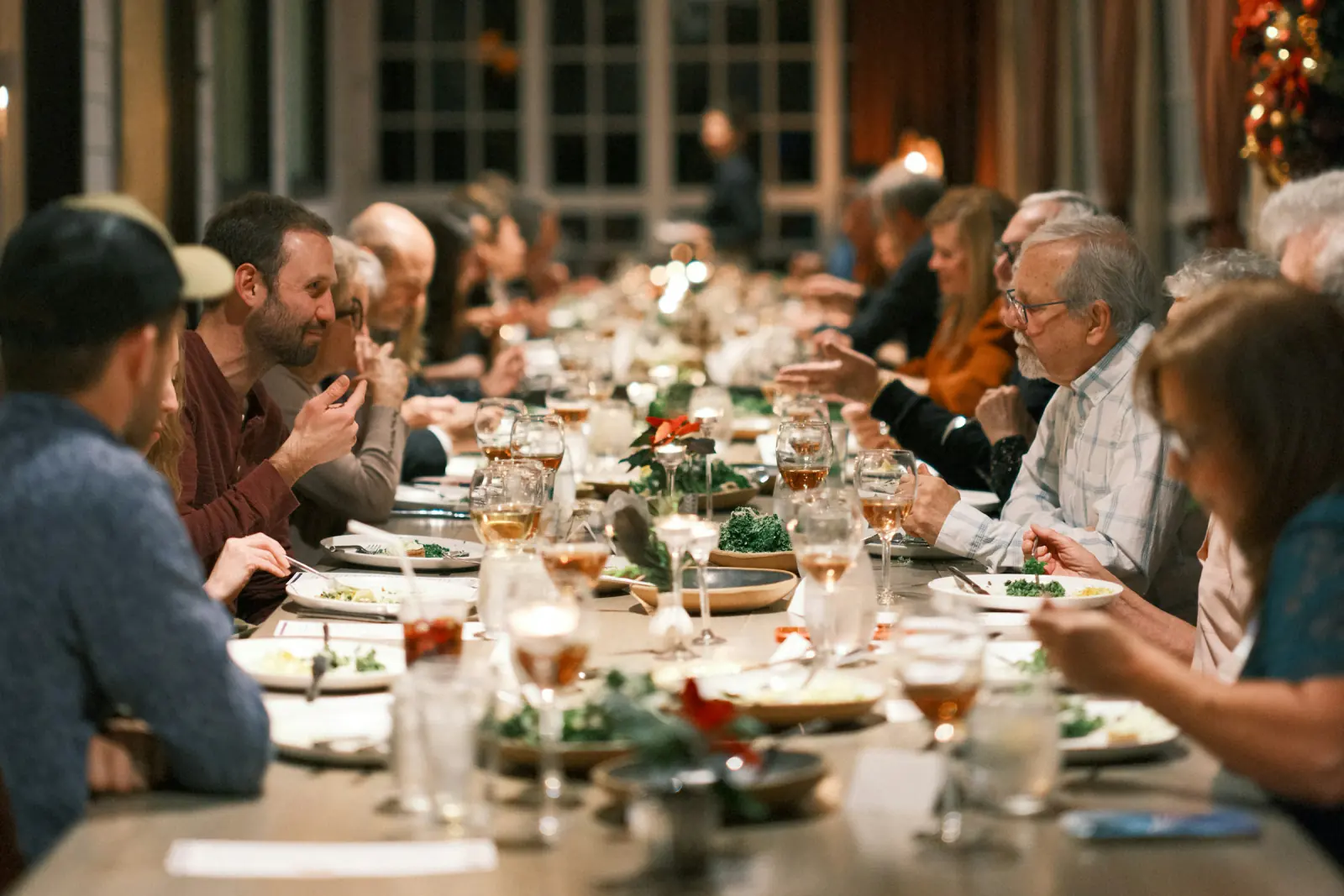
Company Christmas parties have a recurring problem: people sit with the colleagues they already know. A photo booth is one of the few things that reliably mixes teams, because it gives strangers from accounting and engineering a shared, slightly silly task. This guide covers placement in a restaurant, lighting in a dim festive room, a props list, effect ideas, consent at a workplace event, and how to share the results afterwards.
Why a booth works at a company party
- Neutral ground. Nobody has to start a conversation. The booth gives people a reason to stand next to each other for 30 seconds.
- Low commitment. Four photos and a download. Guests who do not want to participate simply walk past.
- Visible output. Collages circulate in team chats the same evening and extend the party into the next week.
- Cheap. A browser booth costs nothing beyond a laptop you already own. The budget goes to props and a backdrop.
Placement in a restaurant or venue with limited space
Christmas parties often happen in a restaurant's back room, not a ballroom. You need about 2 m by 2.5 m:
| Element | Distance / size |
|---|---|
| Camera to standing mark | 1.5 to 2 m |
| Standing mark to backdrop | 0.5 m |
| Backdrop width | 1.5 to 2 m (fits 4 to 5 people) |
| Camera height | 1.5 to 1.6 m (eye level) |
| Prop table | 60 cm, to the side, not in frame |
Where to put it:
- Against a wall near the bar, not by the coat rack. Traffic near the bar is high and relaxed.
- Not behind the buffet line. The queue for food and the queue for photos will merge into one unhappy line.
- Away from the speaker. Bass makes laptop tables vibrate, and shouting instructions over music slows every session.
- Ask the venue for a power socket in advance. Extension leads across walking paths are the most common cause of a booth going dark mid-evening.
Lighting in a dim festive room
Restaurants dim the lights for the evening, and candle-lit tables look great to the eye but produce grainy, orange photos on a webcam. Light the booth zone separately:
- One soft light from the front, slightly above camera height: a ring light or an LED panel at about 30 percent, angled down 15 degrees, placed behind and just above the laptop.
- Avoid coloured party lights on faces. Red and green uplights are seasonal, but a webcam turns them into blotchy skin. Keep them on the backdrop, not on the people.
- Test at party darkness. Take a test session with the room as dark as it will be, not during setup with the house lights on. Adjust the light, then leave it.
Our general photo booth tips cover camera height and front lighting in more detail.
Props list for a Christmas party
Six to ten items are enough. More creates clutter and slower sessions.
Seasonal
- Santa hats (3, different sizes)
- Reindeer antlers (2)
- Oversized sunglasses in red and green
- A giant bow or gift-box lid held as a frame
- Tinsel scarves (wipeable, cheap)
- Handheld signs: "Nice", "Naughty", "Out of office"
Company-specific
- A sign with the team or department name
- The custom text on the collage frame: company name plus year, or the party's motto. Keep it under 30 characters so it stays legible at phone size.
Effect ideas that work for colleagues
Photobooth Free, the free online photo booth, offers 15 effects. Three fit an office party particularly well (more seasonal ideas on the Christmas photo booth page):
- Magazine cover. Set the frame text to "Employee of the Year" or "Team of the Year". Every group becomes a cover story.
- Breaking News. A ticker-style frame; use text like "Sales team spotted having fun" or "Finance closes the year". Works for departmental group shots.
- Vintage film. A neutral, flattering look for people who do not want a gimmick. Good for the mixed-age crowd of a company party.
Layout: use Square (2×2 grid) for anything going into chat tools and social posts, Postcard (A6 landscape) if you plan to print a few for the office noticeboard.
Challenge mode for team photos
Challenge mode shows a random pose challenge with a 10-second countdown before each shot. At a company party it does two useful things: it removes the "what do we do?" pause that stalls groups of colleagues, and it produces different photos from every team instead of the same four rows of smiling faces.
Run a light competition around it: each department takes one Challenge-mode session, downloads the collage, and posts it in the company chat.
Consent and privacy at a workplace event
A Christmas party is still a work event, and employees cannot decline as freely as wedding guests. Rules that keep it fair:
- Voluntary, explicitly. Say in the invitation and on a small sign: "Photo booth is optional." No manager should herd their team to the booth.
- Photos stay with the participants. The browser booth processes photos locally and never uploads them. Each group downloads its own JPEG. There is no central archive unless you create one.
- No HR or performance use. Photos from the party are not evidence of anything. Put that in writing if your company has a works council or an employee handbook.
- Internal by default. Do not post collages on the company's public social media without asking the people in them. Internal sharing in a team channel is normal; external marketing is a separate consent.
Sharing the collages internally afterwards
Because the browser booth does not upload, sharing is a deliberate step:
- Same evening: each group downloads the JPEG to their phone and posts it in the team channel. A QR code to the channel or a shared folder next to the booth makes this a ten-second job.
- Shared gallery: if you want one album everyone can browse and download from, a service like Guest Pictures gives you a QR code that guests scan to upload their collages from the phone browser, with no app or account. Set the gallery to private so it stays inside the company.
- Two weeks later: delete the shared folder or gallery, or move it to an archive with restricted access. Announce the date in advance so people download what they want.
Timeline and checklist
| When | What |
|---|---|
| 3 weeks before | Confirm venue space and a power socket. Order props. Decide the frame text. |
| 1 week before | Full test session on the laptop with the actual effect, layout, and text. Check the webcam in dim light. |
| Day before | Charge everything. Print signs: "Optional", instructions, the frame text preview. |
| 60 min before | Set up backdrop, light, laptop at eye height. Disable sleep and notifications. |
| 30 min before | Test session at party lighting. Download and open the JPEG on a phone. |
| After dinner | Booth peak. Booth host present. MC announces the Challenge-mode competition. |
| Last 30 min | Final download reminder. Pack props before people get creative with them. |
Pre-party checklist:
- Laptop plugged in, sleep disabled, browser updated
- Camera permission granted in the browser
- Front light tested at room darkness
- Backdrop secured, standing mark on the floor
- Frame text spelled correctly
- Props wiped and laid out
- "Optional" sign visible
- Sharing instructions (channel or gallery QR) next to the booth
- Backup: a phone with the booth open
Budget vs rental
| Browser booth (DIY) | Rented booth | |
|---|---|---|
| Cost | Props and backdrop, typically 40 to 120 EUR | Several hundred EUR for an evening, more with prints and an attendant |
| Setup | You, 60 minutes | Vendor |
| Prints | Only if you bring a printer | Usually included |
| Space | About 2 by 2.5 m | Often 3 by 3 m or more |
| Flexibility | Any effect, text, layout, any time | Fixed package |
Rental pays off for parties above roughly 200 people with instant prints as the main attraction, or where nobody on the team can look after a laptop. For most restaurant-sized Christmas parties, the browser booth plus a decent light does the job. The DIY photo booth guide lists stands and lights that keep the cost down.
FAQ
Does the booth work on an office laptop with a built-in webcam?
Yes. Photobooth Free runs in the browser on laptops and desktops with a webcam. Raise the laptop to eye level and add a front light; built-in webcams need it in dim rooms.
Can employees opt out?
Yes, and they should be told so. Mark the booth as optional and do not let managers pressure teams into it. Photos are processed locally and downloaded by the participants themselves.
How do we put the company name on the photos?
Enter it as custom text on the frame before the first session. Keep it under 30 characters; company name plus year is the usual choice.
Can we collect all collages in one place?
Yes, but it takes a step, because the booth itself does not upload. Ask guests to post their downloaded JPEGs in a team channel or scan a QR code to a private shared gallery.
Steffen Knödler
Our editorial team checks every guide against the current workflow and feature set of the free browser photo booth.
About the product and editorial processTry These Tips Yourself!
Ready to create amazing photos with all the effects mentioned in this article? Try our free photo booth now!