
How to take photos together from two places
- Agree on a time that works in both time zones (see below).
- One of you creates a room.
- Send the link to your partner in your chat.
- Both allow the camera on your phone or laptop. You now see each other live. No app, no account.
- Pick an effect and press start. One countdown runs on both screens, and both devices take their shot at the same moment — four times.
- Keep the shared strip. Each row is one moment with both of you side by side. You both get the same strip to download or share.
The booth has its own live view, so you don't need a video call on top — but it works fine next to one.
Date ideas built around the booth
A strip is a small thing, but it gives a call a moment you both keep. Ideas that couples in long-distance relationships use:
- The monthly strip. One strip on the same date every month. After a year you have twelve, which makes a calendar or a wall of prints for the day you live in the same place.
- Same dinner, two kitchens. Cook the same recipe at the same time, then take a strip with the plates before you eat.
- Dress-up date. Agree on a theme (formal, matching colour, 2000s) and keep it secret until the first frame.
- Movie night. A strip with snacks before the film starts, one with your reactions afterwards.
- Countdown to the visit. One strip every week until the flight, the last one from the airport.
- Holidays apart. The Christmas or Halloween effect when you can't spend the evening together.

Postcard layout · Christmas effect
Try this look
Poses that work across two screens
You can't lean on each other, so plan poses that read well even though each of you is on your own camera:
| Frame | Pose |
|---|---|
| 1 | Both look straight into the lens and smile — the "official" photo |
| 2 | Each of you holds up a sign with one word; together they finish a sentence |
| 3 | Show something from your side: the view from your window, your mug, your pet |
| 4 | Blow a kiss or pull your best surprised face on three |
Look at the camera lens, not at your partner on the screen; on a laptop the lens sits above the display. Hold the phone steady or prop it up so the frame doesn't tilt between shots.

Meme · when the cat joins the date
Try this look
Time zones, light and timing
Long distance often means one of you is in the morning and the other late at night.
- Find the overlap. Evening for one and morning for the other usually works better than squeezing a strip into a lunch break.
- Light the late side. The person in the dark needs a lamp in front, behind the screen. Overhead light alone gives tired-looking shadows.
- Plan it like a date. Put it in both calendars, with the time written in both time zones.
- Use Wi-Fi. A stable connection on both ends matters more than the camera.
Privacy for something personal
Photos between partners are private. The booth connects your two devices directly (WebRTC, encrypted): live video and photos go from device to device and are never uploaded to our server. Our server only relays the setup data your browsers need to find each other; each browser deletes its part once you are connected, and the rest is deleted after 2 hours at the latest. There is no account and no cloud album.
Treat the link like a private call link and send it only to your partner. Once you download the strip, it is stored only where you save it.
Keep the strips
The shared strip is twice as wide as a classic strip (2 columns, 1:2). The Print button sets the page to 4×8 inches (about 10×20 cm), so each of you can print the same strip at home. A digital copy makes a good phone lock screen, because the tall format fills the screen.
Taking a strip on your own for the next letter or care package? The regular booth makes classic 2×6 inch strips and prints two of them on one 4×6 sheet — see the photo strip maker and the free photo strip templates.
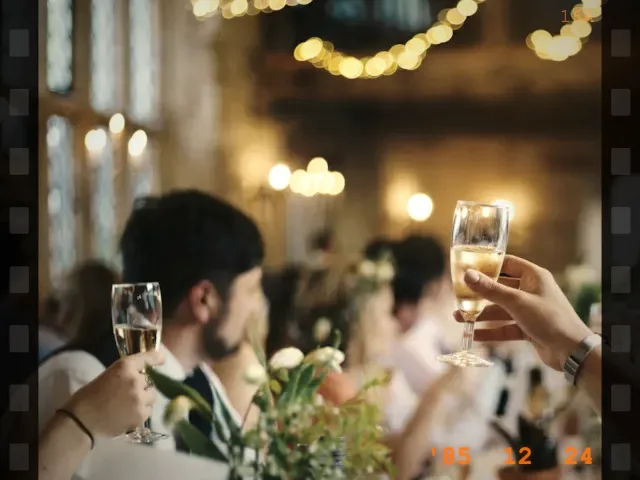
Vintage Film · for a date-night strip
Try this look